Family Stars on Google Play

The fridge-style star chart, now on your family phones.

Remember the paper chart on the fridge, where every star was a real conversation about what your kid did that day? Family Stars brings the same chart onto family phones and keeps the talk where it belongs: at the dinner table, on a walk, on the couch. Not in a chat window. Not on a server. Not in the cloud.

One-time €1.69 · No subscriptions · No in-app purchases

Came from Facebook? Facebook ads cannot open the Google Play app directly, so they send you here first. Tap the button above and you will land straight in the Play Store.
★ Real screen, real app
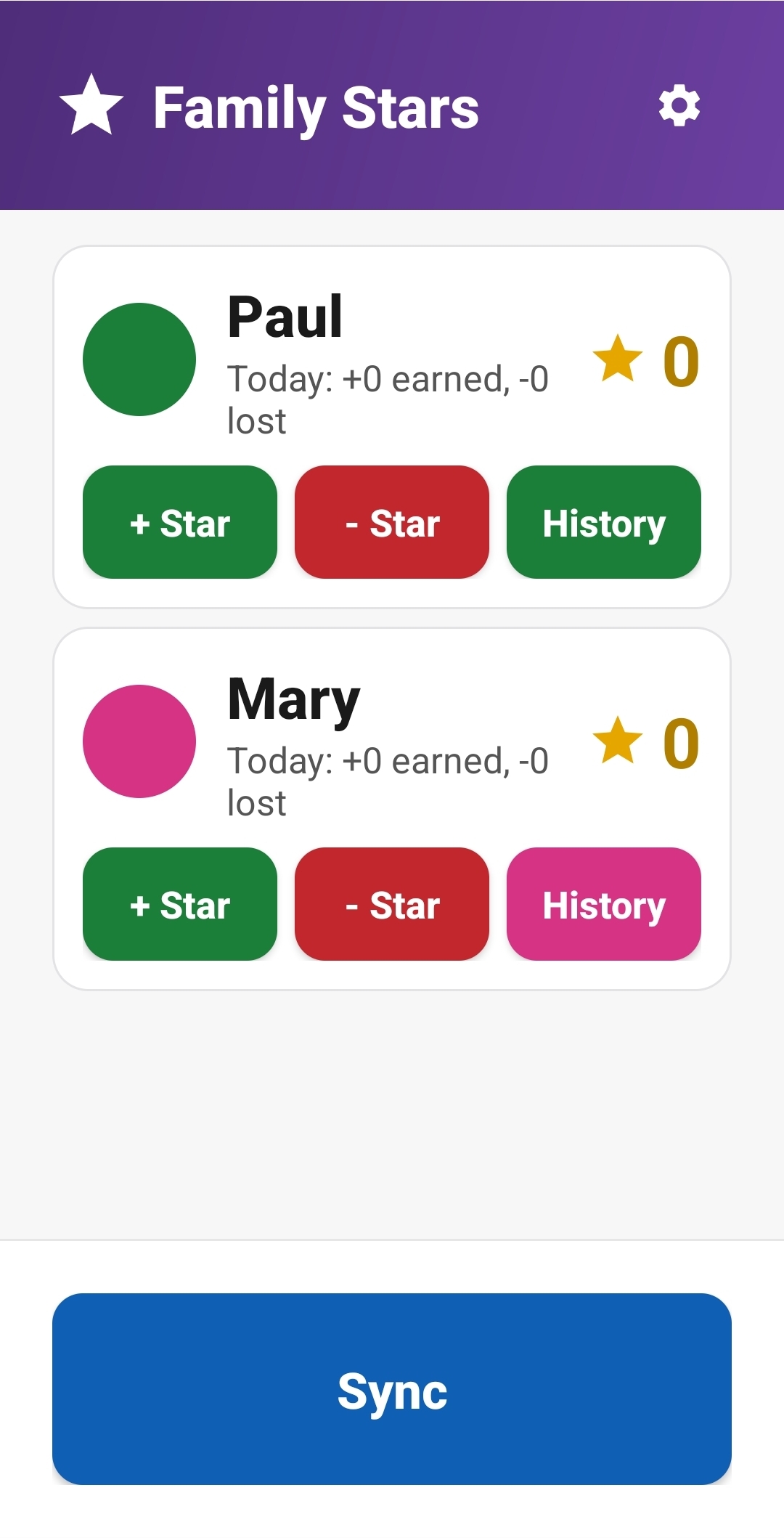
Family Stars parent home screen with Paul and Mary, plus and minus star buttons
For families who want it to feel fun

Talk more. Cheer more.

Family Stars is not a chore tracker, and it is not a way to keep tabs on your kid. It is a small, shared game you play together. You pick the rewards together, you both watch the stars add up, and the real conversations happen out loud at the table, not inside an app.

Decide it together.

You and your kid agree on what stars are worth and what they can be spent on. The app just keeps score so neither of you has to remember.

Takes ten seconds.

Open the app, tap +Star, type “helped with dishes.” That is the whole flow. On the next sync, your kid sees the star and your little message.

🔒

Your family stays yours.

No accounts. No cloud. No ads. No tracking. Stars live on your phones and nowhere else.

How it works

Three little screens. One shared game.

First you and your kid agree on the rewards. After that, you give stars when great moments happen, and your kid saves up for the thing they actually chose. That is it.

1

Pick rewards together.

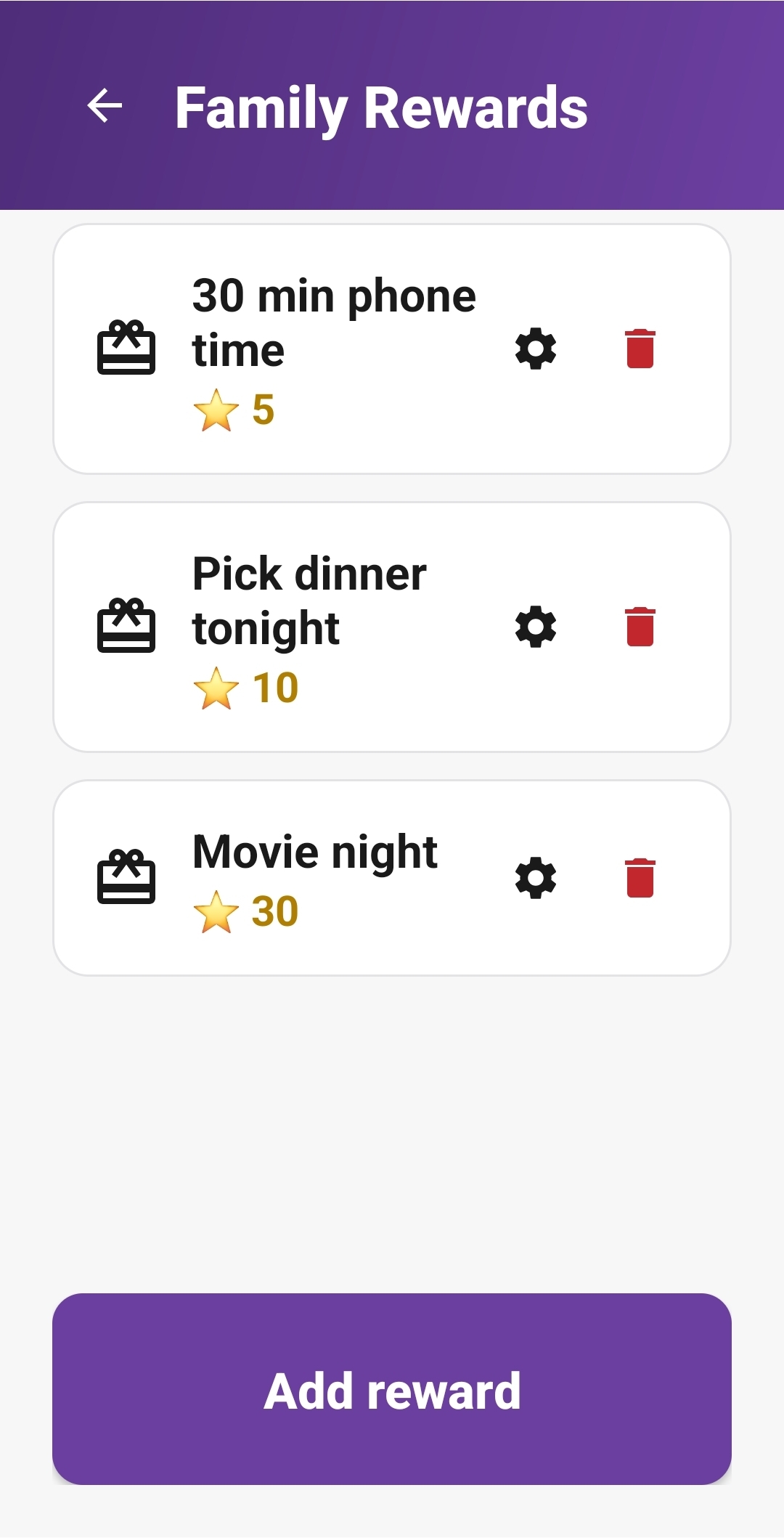
Sit down with your kid. They suggest things they really want, you agree on what each one is worth in stars. They get a say, you get a yes you can both live with. Half the fun starts right here.

Family rewards list with 30 min phone time for 5 stars, pick dinner tonight for 10 stars, movie night for 30 stars
2

Catch a great moment.

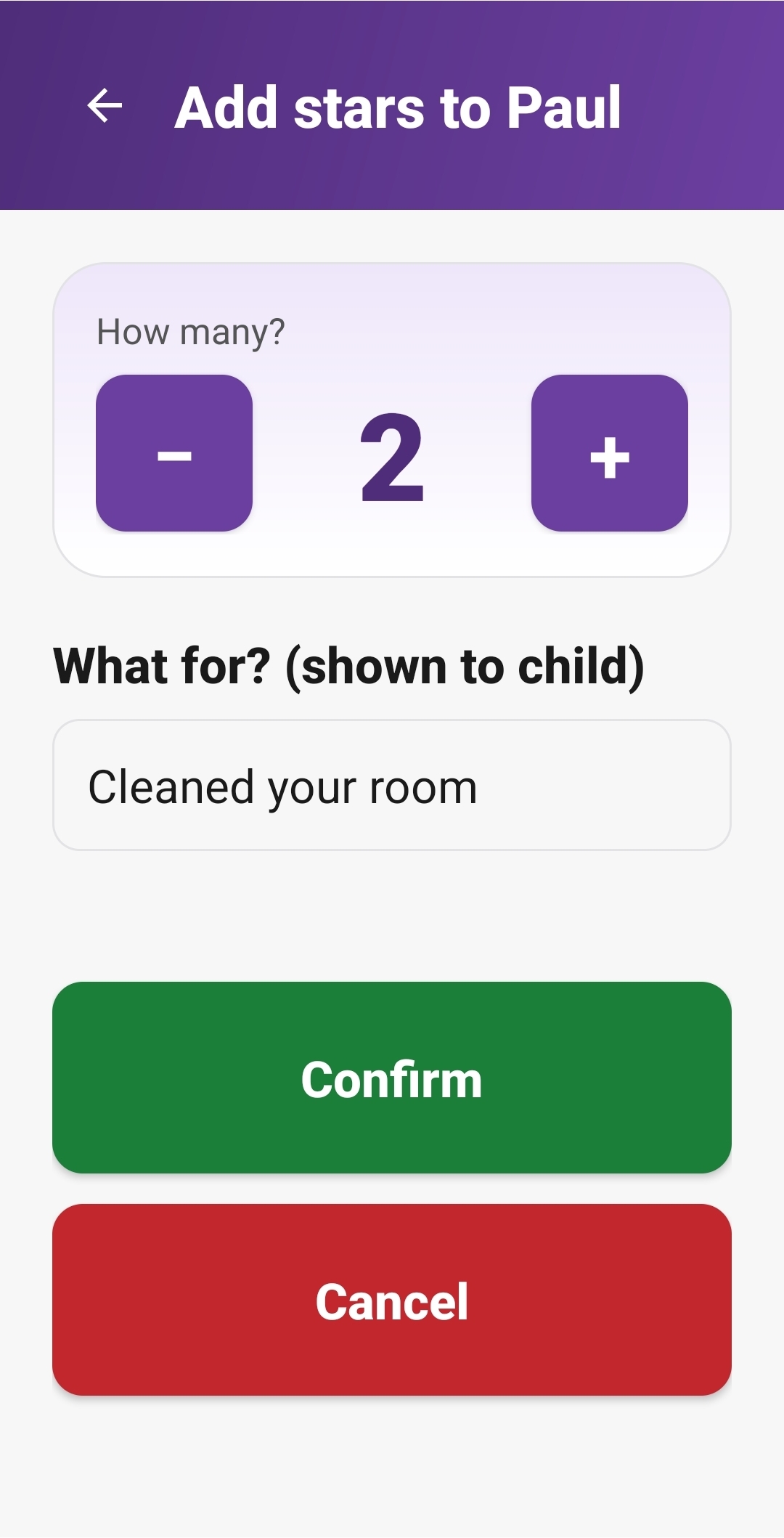
One tap to give a few stars. Type what it was for, like “helped little sister with homework.” Your kid sees the star and your message, and the good moment is now remembered, not forgotten by morning.

Add stars to Paul screen, two stars for cleaned your room, big green Confirm button
3

Cheer the goal getting closer.

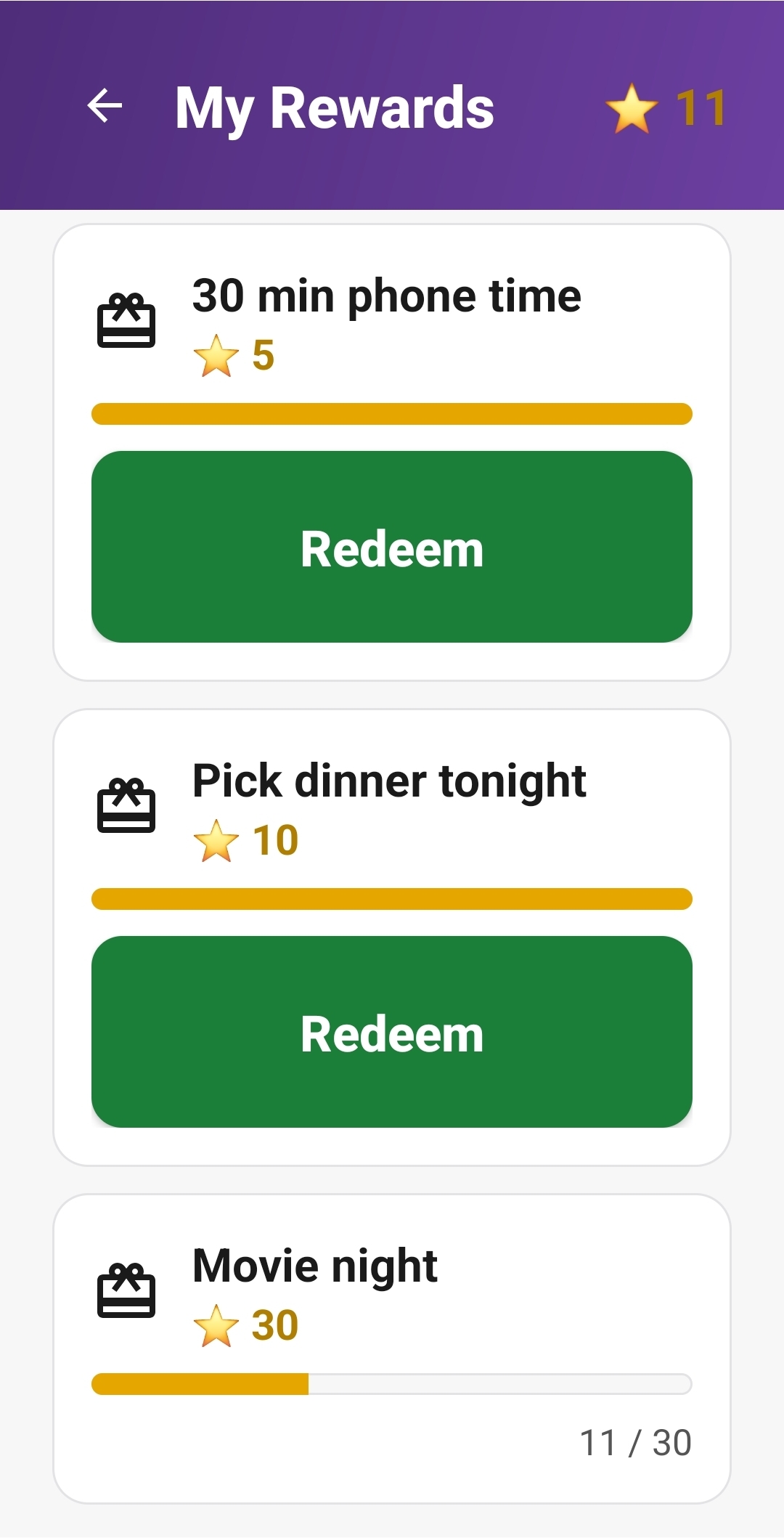
Your kid’s phone shows every reward with a progress bar. They check, you ask “how close are you to movie night?” The conversation just starts itself, no nagging needed.

My Rewards on child phone, 30 min phone time, pick dinner tonight, movie night with progress bar 11 of 30
Two views, one family

Both phones. One family.

Parent phones do the giving and the keeping score. Kid phones celebrate the progress and ask for rewards. Each side has the right buttons for its half of the story, and they meet in the middle.

Parent view

Add stars, see history, sync with the family. All in two taps.

Parent main screen with two children Paul and Mary, plus star, minus star and history buttons

Kid view

Their stars, their rewards, their own progress to watch.

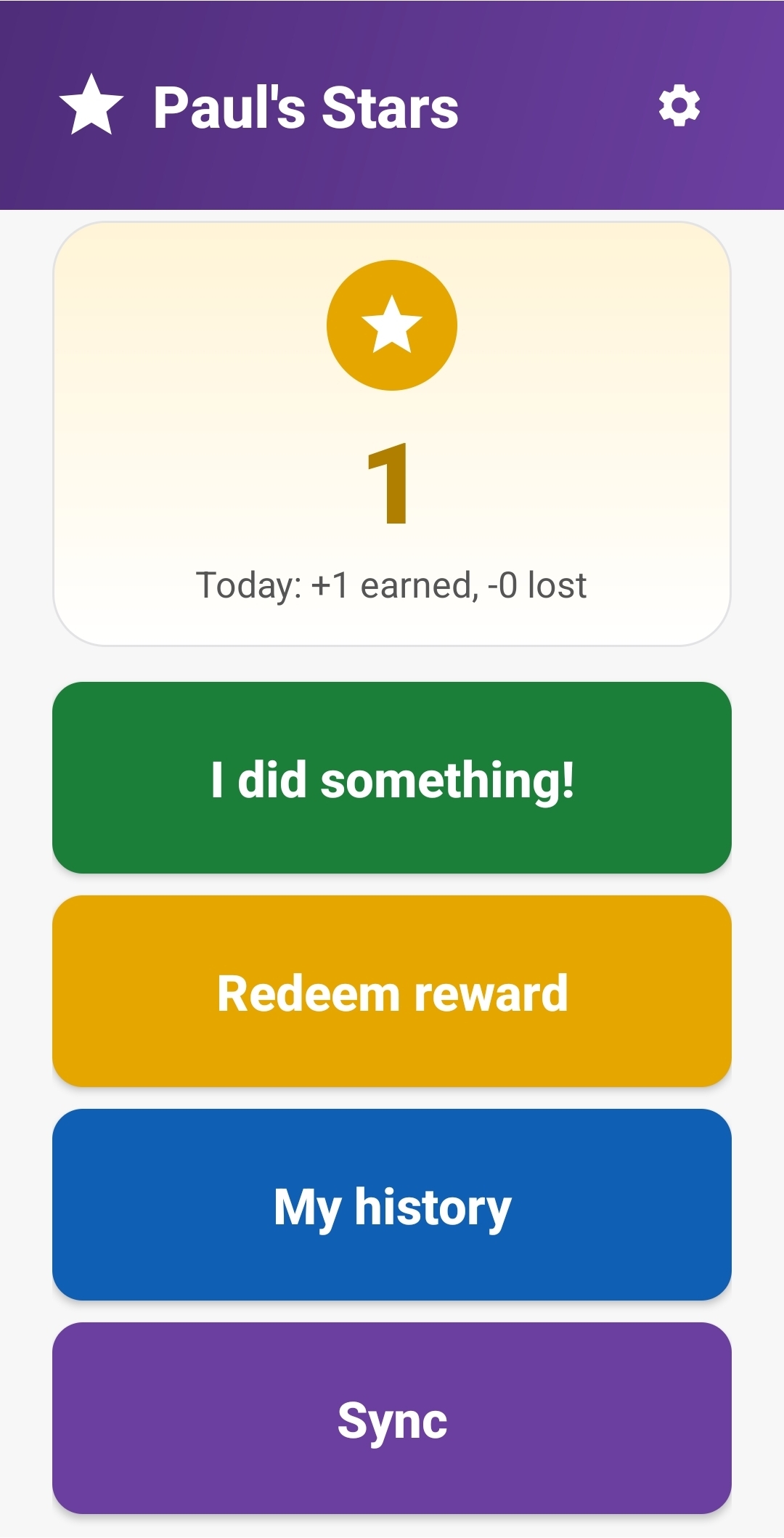
Paul's Stars screen with star count 1, I did something button, Redeem reward, My history, Sync
Privacy by design

No accounts. No cloud. No tracking. Ever.

Family Stars never asks for your email, your child’s name on a server, or anything else. Phones sync directly to each other over Bluetooth or by scanning a QR code on screen. Your data never leaves your family.

No sign-up Works offline No ads No analytics No in-app purchases
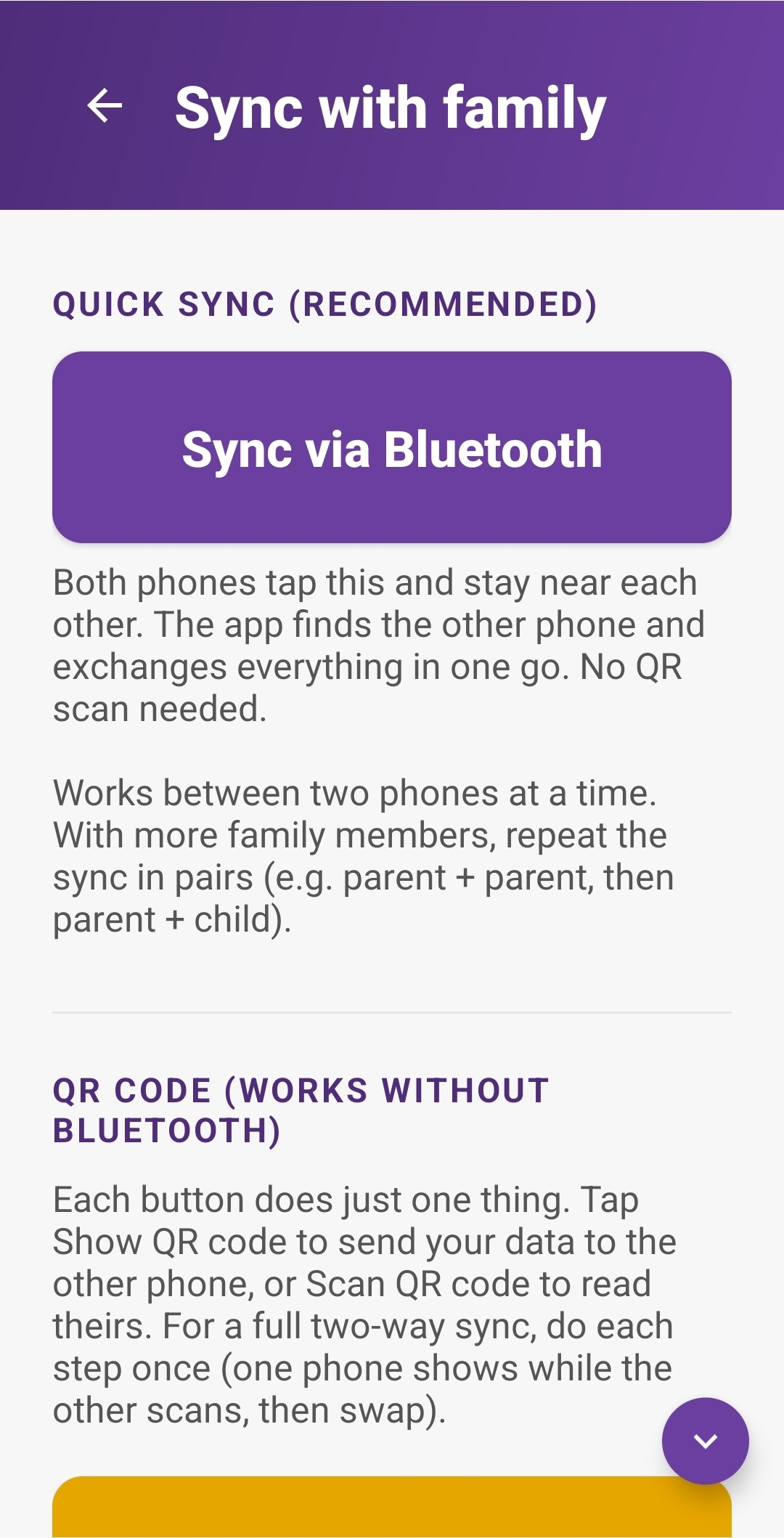
Sync with family screen showing Sync via Bluetooth as the recommended option, and QR code as a backup that works without Bluetooth
What is inside

Everything you need. Nothing you don’t.

Yes, this is what you have been looking for.

Pick rewards together. Catch the good moments. Celebrate the wins as a family.

One-time €1.69 · No subscriptions · No ads · Works on any Android phone

GET IT ONGoogle Play
fWhy a website and not a direct link? Facebook ads are not allowed to open the Google Play app directly, so we send you here first. The button above takes you straight to the Family Stars page on Google Play, where you can install it in one tap.
Quick questions

Things families usually ask.

Does my kid get a say in the rewards?

Yes, that is the whole point. Family Stars works best when you and your kid agree on the rewards together, like a little family pact. You write them in once, and they stay. Kids feel heard, parents feel less like the referee, and the app stays out of the way.

Is this a way to control my kid?

No. There is no monitoring, no screen-time blocking, no “strikes,” no nagging notifications. Family Stars only does what you and your kid decide it does, like a paper chart on the fridge used to. It is a shared little game, not a surveillance tool.

What does this app not do?

Family Stars is a reward chart, not a parental control tool. So you know exactly what you are getting:

  • It does not block or limit screen time.
  • It does not lock your child’s phone.
  • It does not restrict, hide, or filter any other app.
  • It does not track your child’s location.
  • It does not monitor messages, calls, or browsing.
  • It does not send any data to a server. It cannot connect to the internet at all.
  • It does not nag your kid with notifications.

You and your family decide what a star is worth, and you grant the actual rewards (extra screen time through your normal parental controls, a movie night, an ice cream) outside the app. The app’s only job is to keep score, fairly and visibly, so the rest of the conversation can happen the way conversations are supposed to.

Is there a free version?

No, and there is a reason. There are no ads, no in-app purchases, and no tracking. The €1.69 is what pays for the app to stay that way. Pay once, use it for as long as you have an Android phone.

Does it need an internet connection?

No. Family Stars works fully offline. Phones in the same family sync to each other directly over Bluetooth, or by scanning a QR code shown on the other phone’s screen.

What if my child loses their phone or it breaks?

Set the child up again on a new phone. The parent phone shows the family QR code, the child phone scans it, and the stars catch up on the next sync.

How many children can I add?

Up to eight children per family. Each one gets their own colour, their own star total, and their own history.

Does it work on iPhone?

Not yet. Family Stars is Android only. If you have a parent on iPhone, let us know at appshaide@gmail.com. That helps decide what to build next.

Will my kid see ads or be tracked?

No. There are no ads anywhere in the app, no analytics, no third-party SDKs. The app does not even ask for an internet permission. Kids see only their own stars, their own rewards, and the kind notes you write them.

What age is this for?

It works best when your kid can read the reward names. That tends to be from around five or six up to early teens, but families with several kids of different ages use it too. Each child gets their own colour and their own goals.